Journaling
A baby journal you can keep up with
Paper baby books stall because they ask for a whole evening. Kinlet asks for one answer. You get a question in the app, or as a text in the US and Canada. You reply in a sentence, a voice note, or a photo. Newborn fog, toddler sentences, or the rest of the family: same journal, same account.
No public timeline. No streak to fail. Skip a week. The next prompt is still waiting.
Daily prompts
Questions follow the timeline you set: pregnancy wrapping up, first weeks, solids, the weird thing they said at 14 months, or a second child as their own subject. Kinlet leans on what you already told it, so you are not answering generic “how was your day.”
One family journal. Children, a pregnancy, and pets are subjects inside it. Answer now, snooze, or skip.
Journal by text
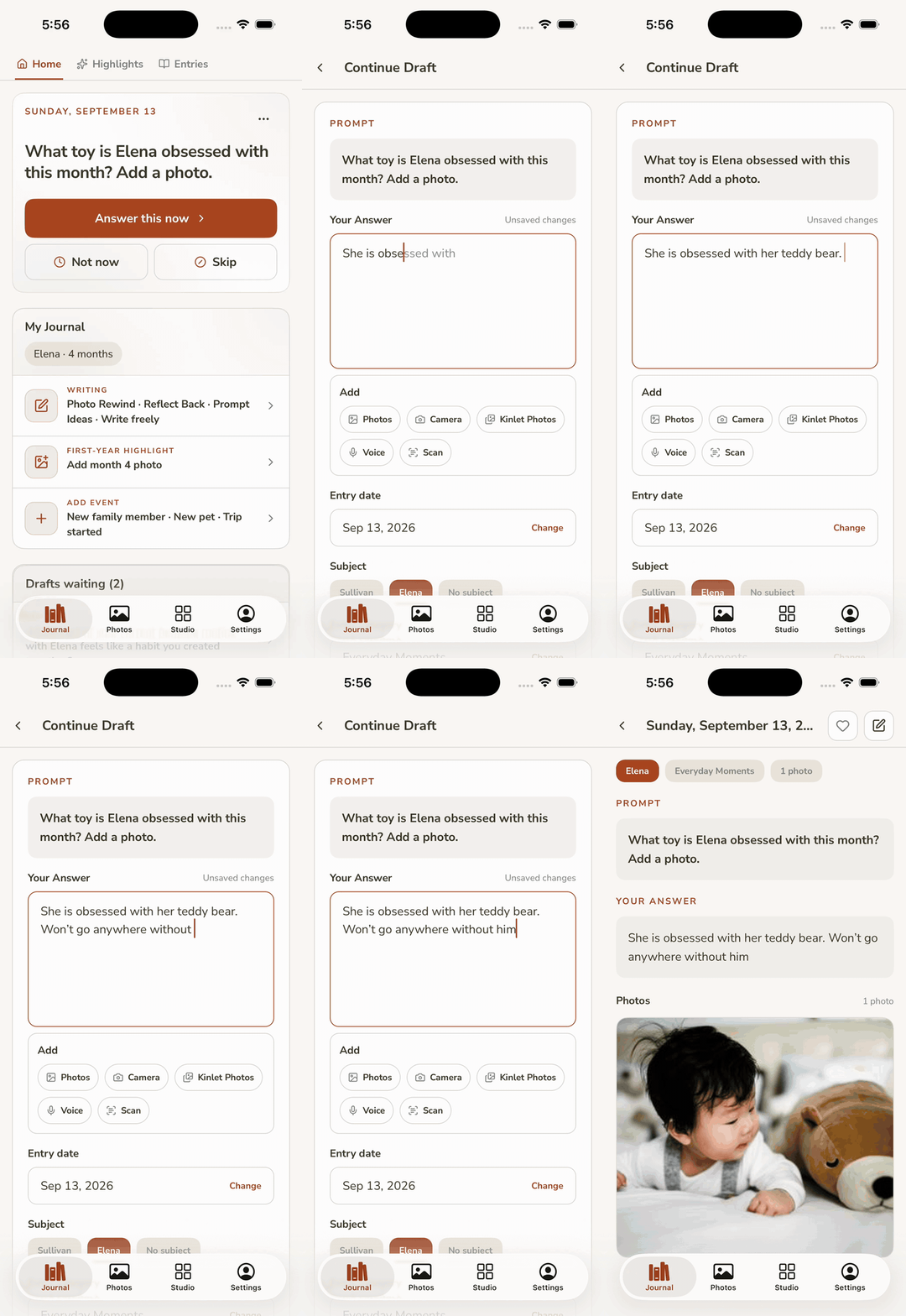
If opening an app at 11pm is why people quit, use SMS. Kinlet sends the question. You text back. The reply lands in the same journal as app entries, same subject and category, so the book later is not uncategorized blobs.
United States and Canada today. App-only is fine.
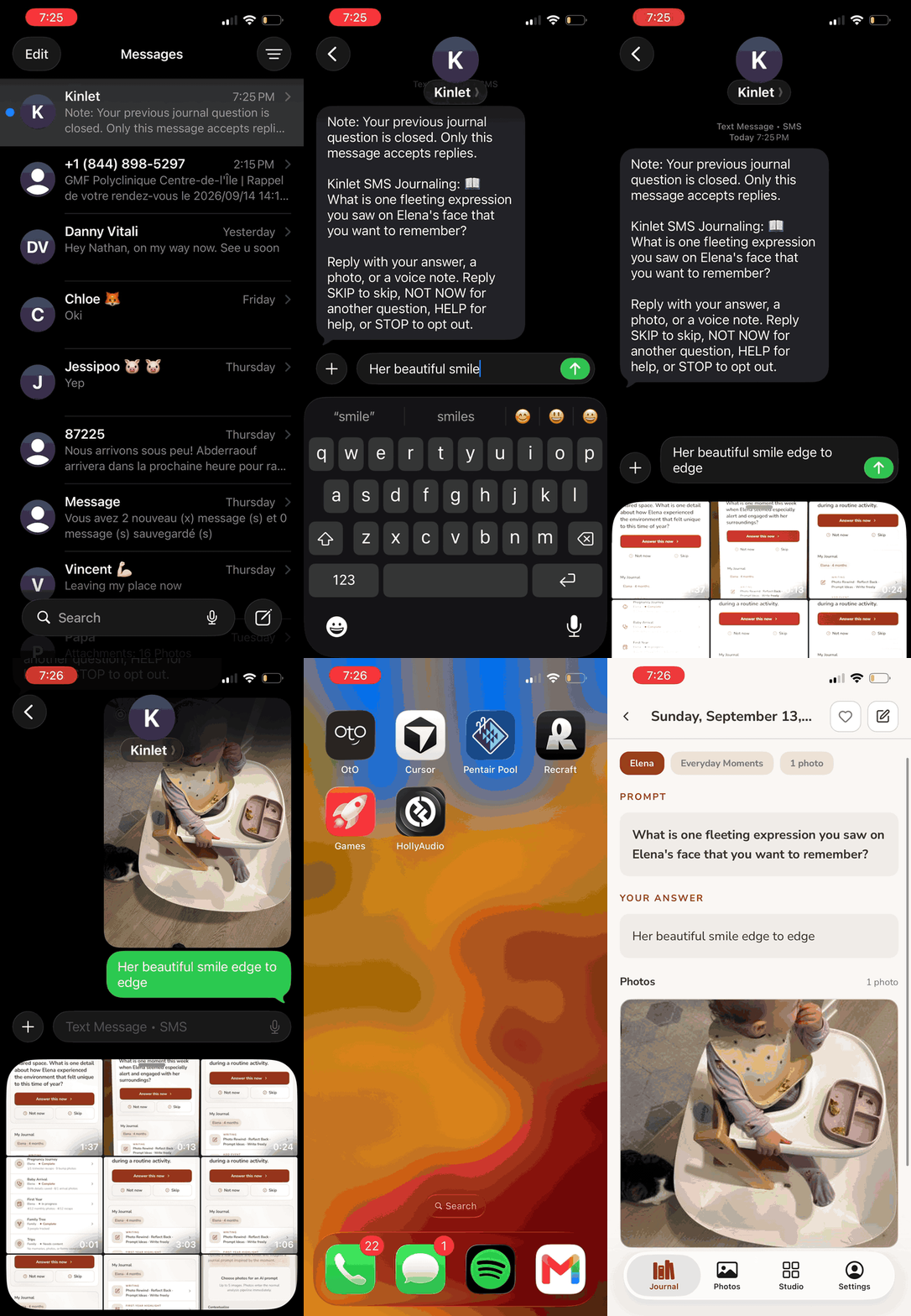
Photo Rewind
The camera roll is already a baby journal with no captions. Photo Rewind looks back at photos you have and asks the small question that makes the picture make sense six years from now.
Reflect back
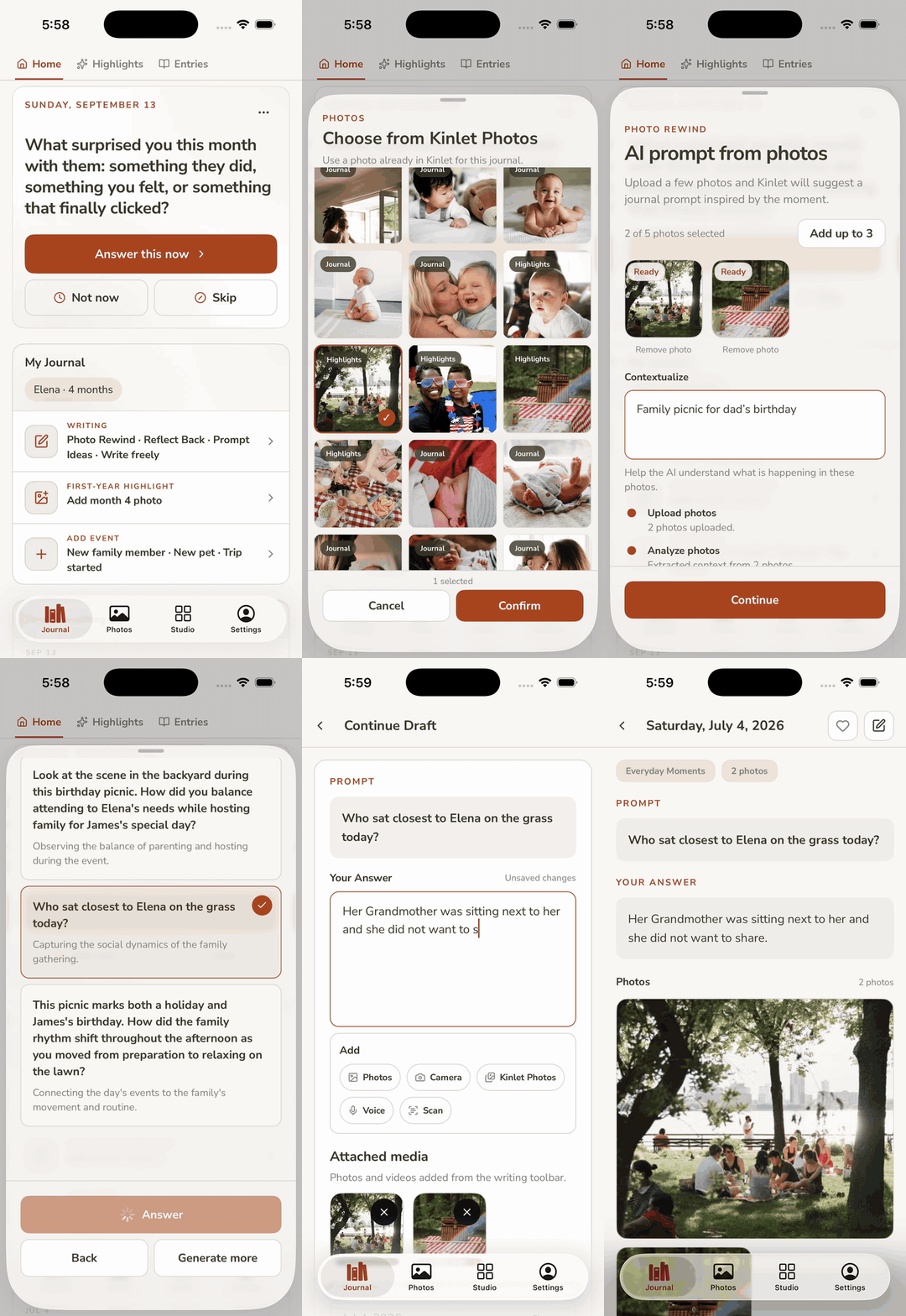
Start late. Open a birthday, a first haircut, or the night they finally slept. Write what you want to keep. Late is still on time.
Voice, video, and scans
Type when you want. Record the laugh when typing is too slow. Scan a card, a letter, or a page from a paper baby book so you are not retyping it.
Write freely
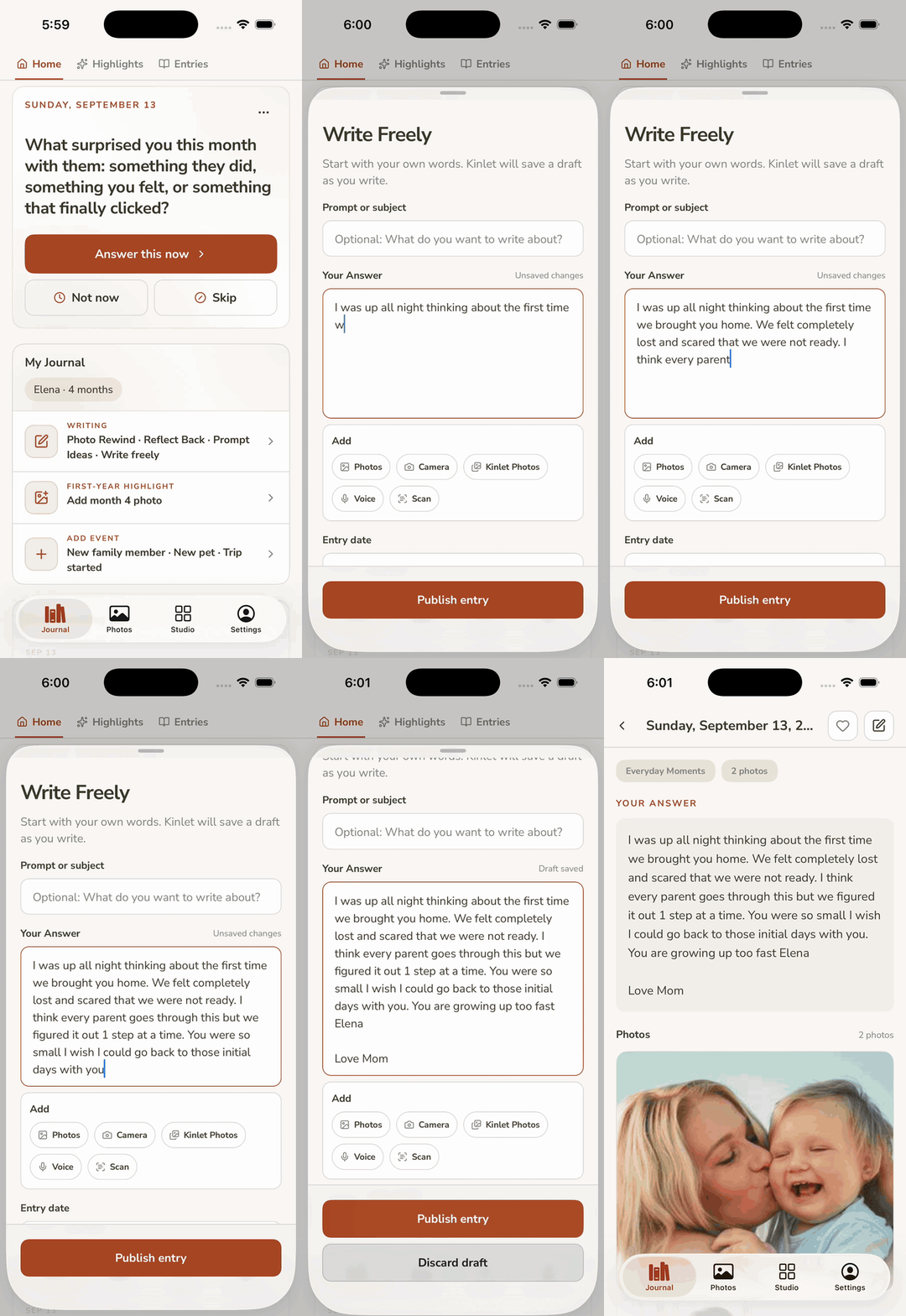
Blank entry. No prompt. For the nights you already know the sentence.
It also holds the long ones. A letter you will give them at eighteen. A note to a partner after a hard week. The anniversary you want on paper, not in a thread. Write a page. Write three. Attach a photo if it belongs.
Daily prompts catch the small days. Write freely is for the piece that needed a whole evening, without a question telling you where to start.
Kids, pets, one journal
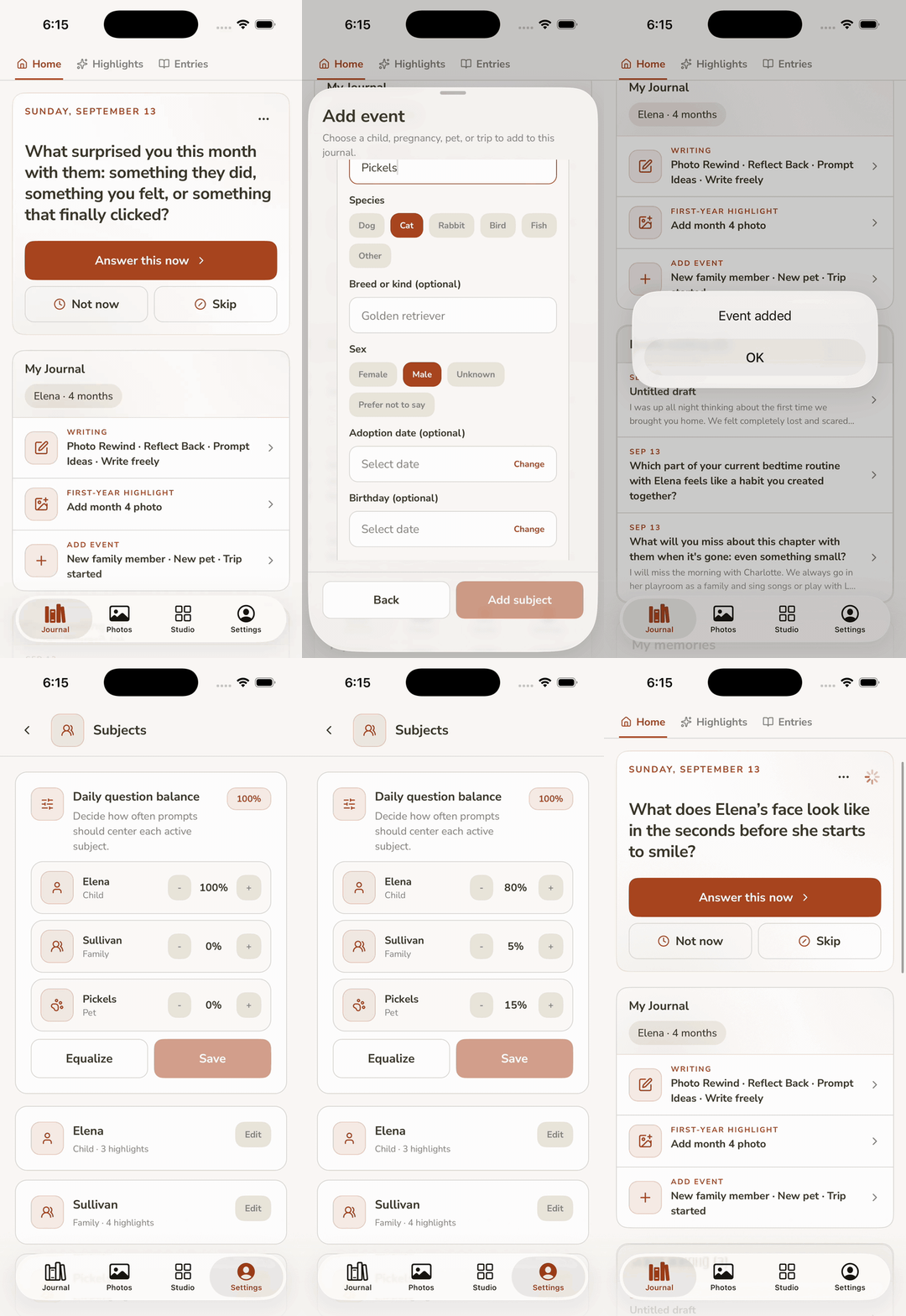
Add a second child or a dog without opening a second account. Each subject keeps its own name, dates, and prompt clock. You still write in one family journal.
Then set the question mix: how often each subject gets the daily question. Nudge it when the newborn needs more of the week than the dog. Percents add to 100. Save. Tomorrow’s prompt follows the new split.
Daily journal vs First Year highlights
Month-by-month covers, recaps, and firsts live in Highlights → First Year. Use that when you want a structured month. Use this journal when you just need “she laughed at the dog” before you forget.
Then it becomes a baby book
When you want something on the shelf, open Studio. Kinlet lays out entries and photos. You fix the awkward page, change a theme, order a hardcover. Print is a snapshot. The journal keeps going.
FAQ
Is this only for newborns?
No. Start late. Reflect Back and Photo Rewind exist because most people do.
Baby journal vs baby book app?
Same product: a journal you keep, and Studio that designs the book. The book is not a surprise PDF of your camera roll.
Can two parents journal?
Yes. Invite a partner. Two voices, without a forced byline on every printed page.
More than one child? Pets?
Yes. One journal, many subjects: kids, pregnancy, pets. Add them from Journal Home. Then set the question mix in Settings → Subjects so prompts are not all about the loudest week.
Does AI write my journal?
No. AI helps pick questions and can assist in Studio. Words in the book stay yours.
Do grandparents see everything?
Only what you put in a shared album. The journal stays with the family you set up.
Is SMS required?
No. SMS is for the days the phone is in the other room.
Ready when you have one spare minute
Start a journal. Add a photo later. The book can wait until the pages exist.