Highlights
A pregnancy journal that continues into the first year
Highlights are guided chapters: photos and questions for that stretch of life, laid out so they survive into a printed book. They are not a blank page or a social milestone sticker.
Two modules do most of the work for new families: Pregnancy Journey and First Year. Everything else in the catalog is optional.
Pregnancy journal
Pregnancy is a long wait with a lot of small facts you will not remember: the first flutter, the appointment that ran late, how the bump looked in month six, who showed up for the shower. Pregnancy Journey keeps those in one place.
You can start this module late. Empty early months are honest. Fill what you have. This is a journal with a spine, not a contraction timer.
- Bump photos: nine monthly slots. The grid is the timeline.
- Month by month: short recaps after the month has started, not a week early.
- Trimester photos and recaps, when a single month is not the story.
- Baby shower: opt-in if you had a shower, sprinkle, or something quieter.
- Whose pregnancy: you, or your partner. Prompts follow that.
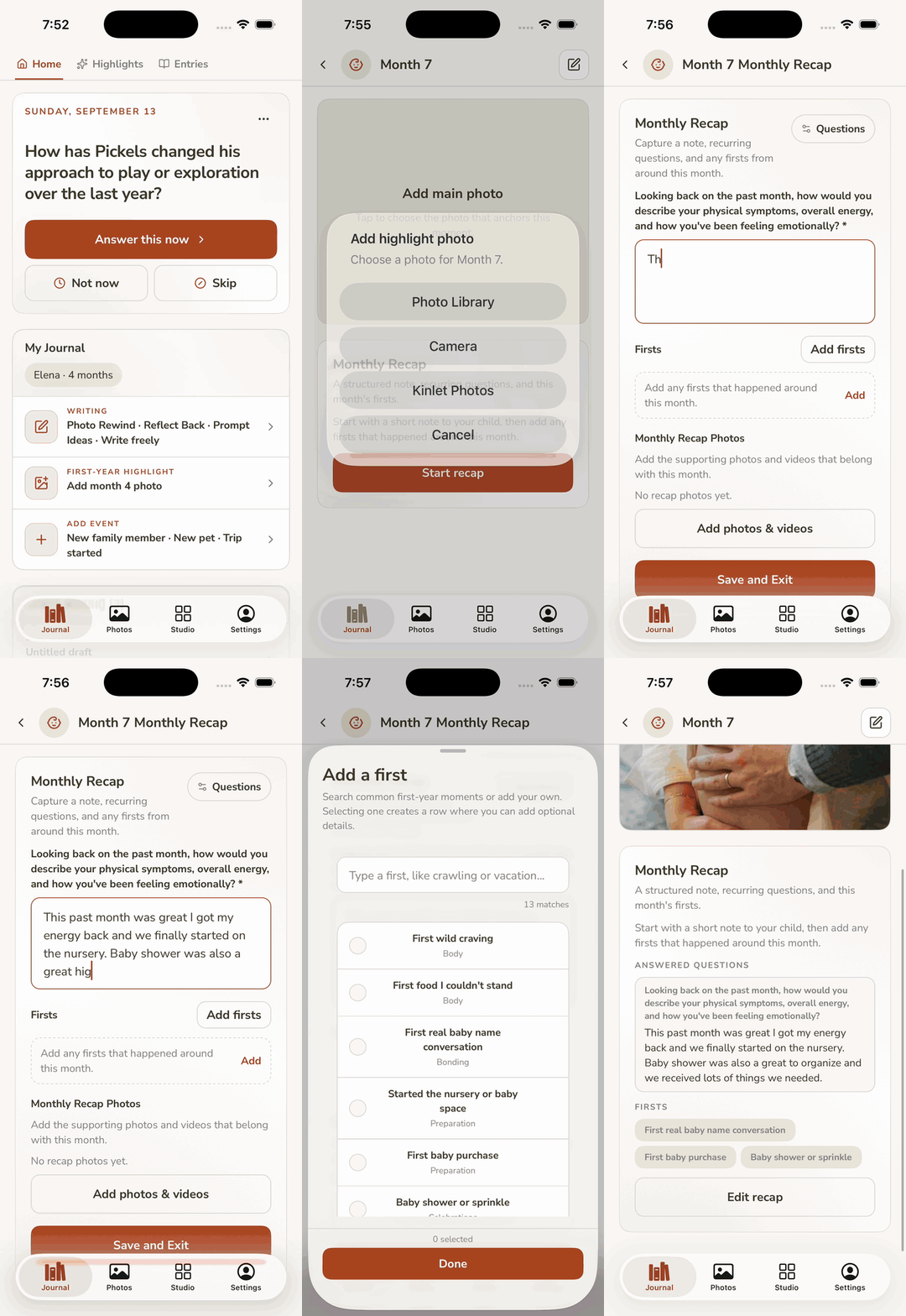
Bump photos
Same wall, same shirt, or whatever ritual you actually keep. Tap an empty month and set the photo.
Write the month
A few fields, not an essay. Kinlet reminds you once you are in that month.
First year
After the baby is here, First Year is twelve small chapters. Everyday prompts still live in the journal. Use both: recaps for the month, journal for Tuesday.
- Monthly photos: one cover image per month. That grid is the table of contents in the book.
- Month-by-month recaps: a required note, questions you can pick, firsts, extra photos.
- Firsts: sitting, sleeping through, the word that was not “mama.”
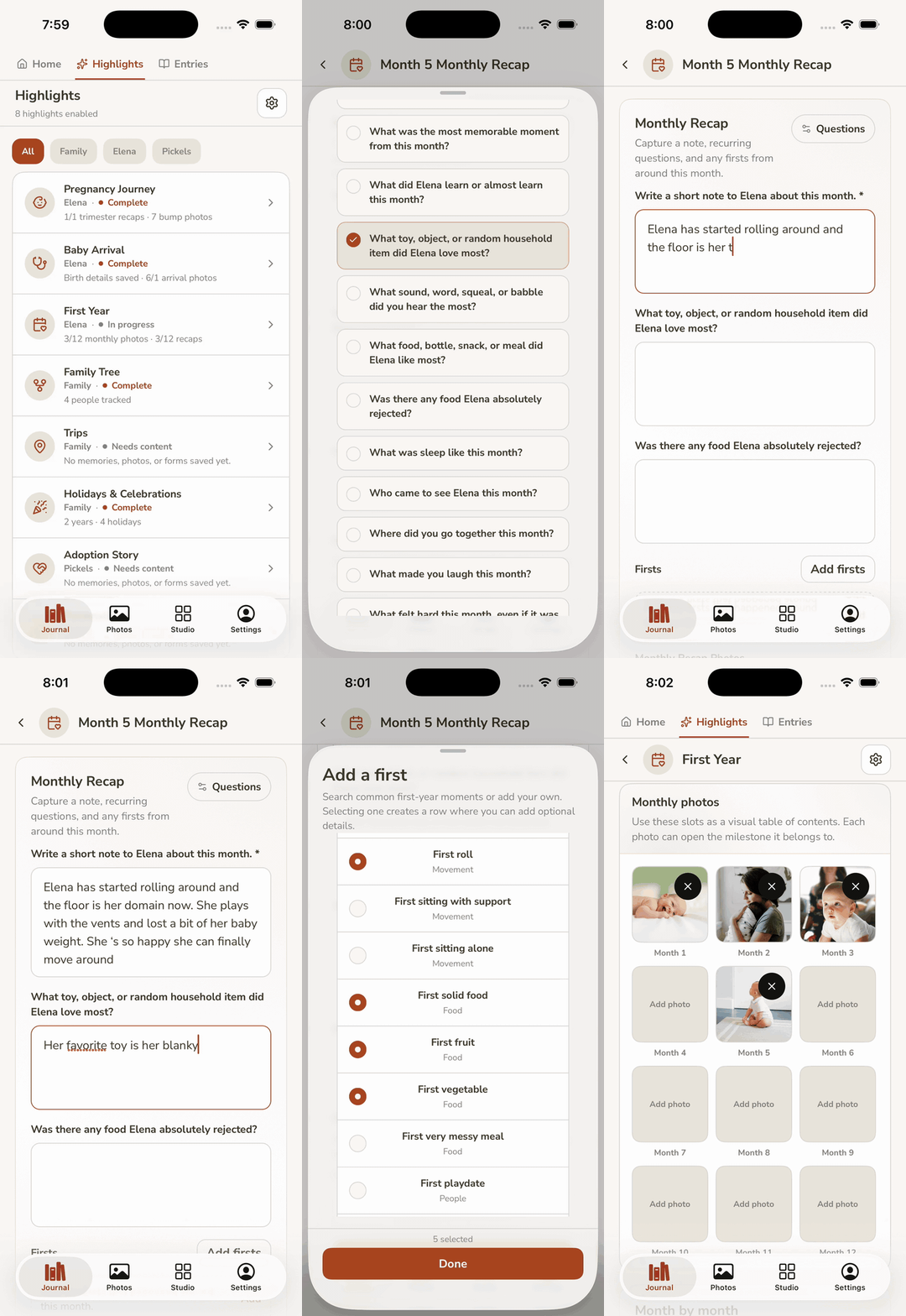
Fill a First Year month
The thing paper books ask for in one overwhelming spread, split into a month you can finish.
Other Highlights
Pregnancy and First Year carry the book. The rest you turn on when they match your family. The Highlights gear is next to the Highlights title, not the tab at the bottom of the app.
- Birthday interviews. The same silly questions, year after year, in their voice. Favorite color, best friend, what they want to be. A stack you can print.
- Arrival. Birth story, measurements, the first hours. NICU fields if that was part of it.
- Holidays and trips. A named day or a trip, with the photos that belong to it, not lost in the camera roll.
- IVF Journey and Adoption Journey. When the story starts before a due date.
- Family tree. Who belongs in the book besides the child.
- Pets. How they joined you, and who they are, if the dog is a subject too.
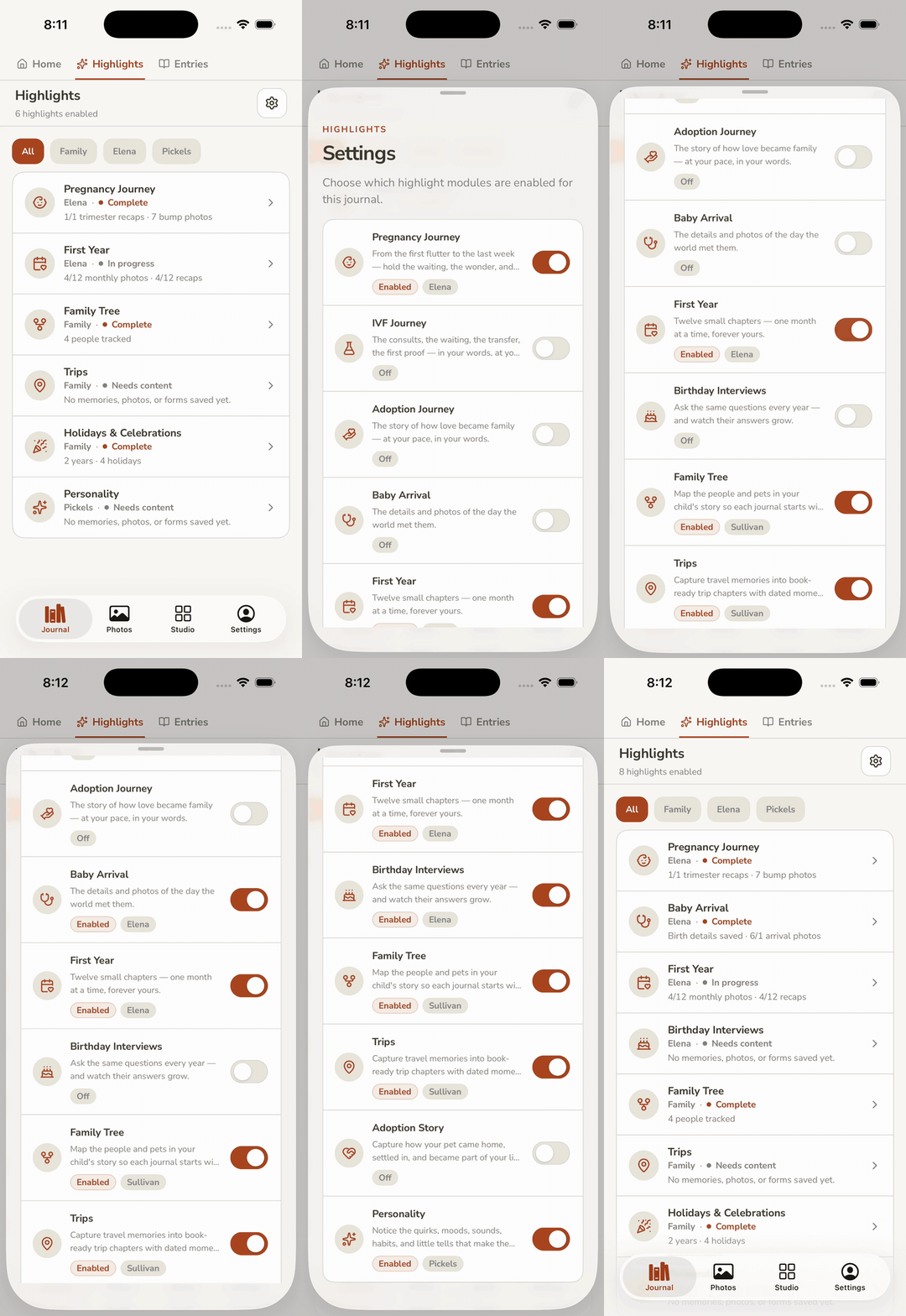
How Highlights differ from daily journaling
| Journaling | Highlights | |
|---|---|---|
| Shape | One question, free write, a photo | Forms, photo grids, months |
| When | Whenever a prompt lands | When that month or chapter is actually happening |
| In the book | Entries and captions | Recap pages, covers, milestone spreads |
FAQ
Can I keep a pregnancy journal if I am the partner?
Yes. Set who is pregnant. You still get a place to write; the prompts are not all first-person body questions.
What if we did IVF?
There is an IVF Journey module. Pregnancy Journey can still hold the months after.
Do I need Highlights to print a book?
No. Studio can build from journal entries and photos alone. Highlights just give you pages that already know their job.
Will Kinlet nag me before the month starts?
Bump-photo and related questions are meant to land after that month is underway, not a week early.
Is this medical advice?
No. It is memory-keeping. Appointments belong here as stories, not as a care plan.
How Highlights work in the appKinlet as a Qeepsake alternative
Ready when you have one spare minute
Start a journal. Add a photo later. The book can wait until the pages exist.